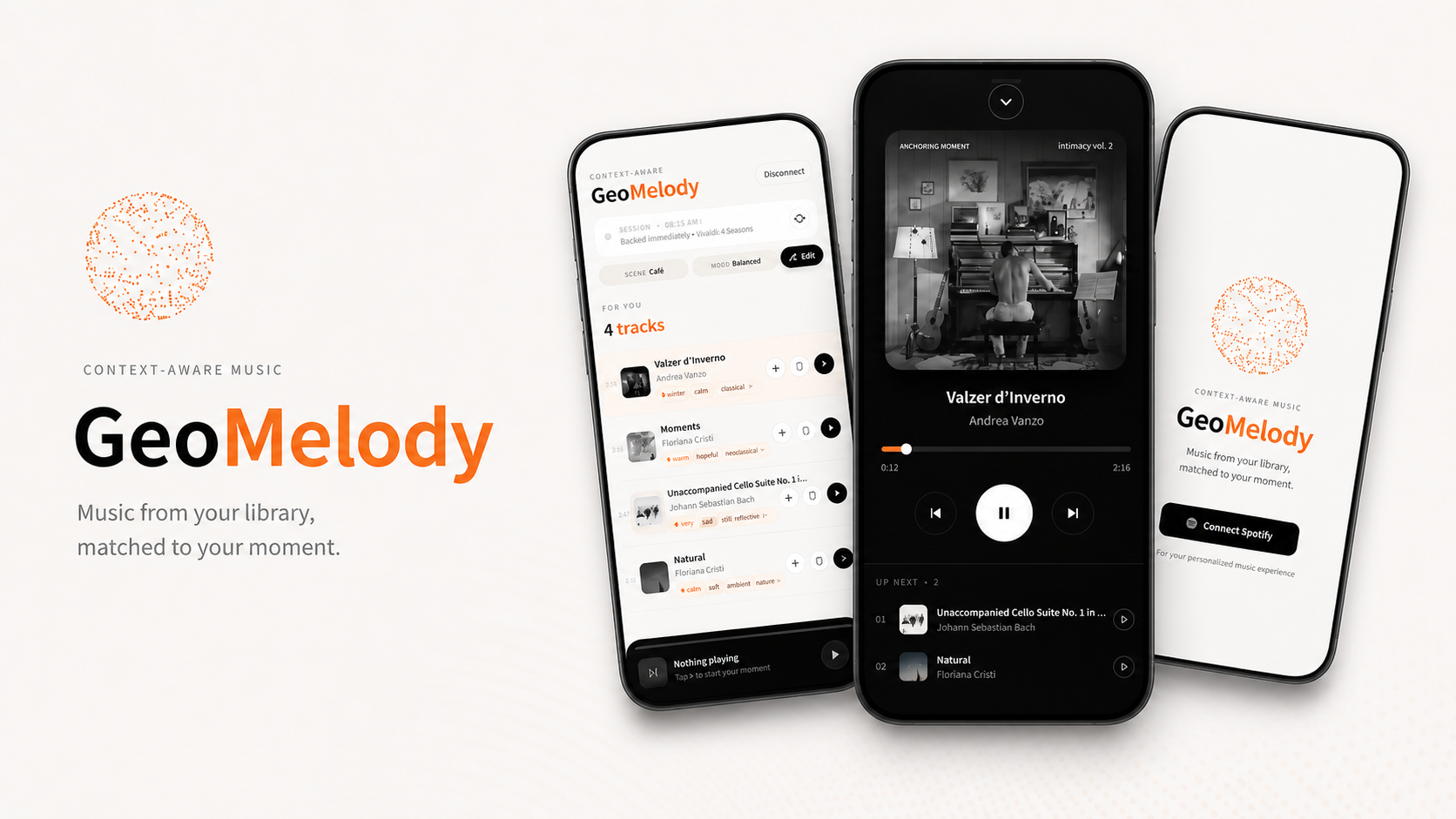
GeoMelody is a context-aware music app that surfaces the right subset of music from your own Spotify library for the moment you're in. A small wearable reads heart rate, ambient noise, and motion every five seconds; you set the scene and mood once; and the app pulls five tracks from your saved library that fit — each with a one-line reason for why it was chosen.
The recommender runs on Gemini 2.5 Flash with structured JSON output, sampling 25 candidates from your library per request and returning the five best matches in roughly 800 ms. The hardware is a CircuitPython microcontroller with a MAX30102 heart-rate sensor, an electret mic, and an LSM6DS3 IMU, pushing JSON to a thin FastAPI relay.
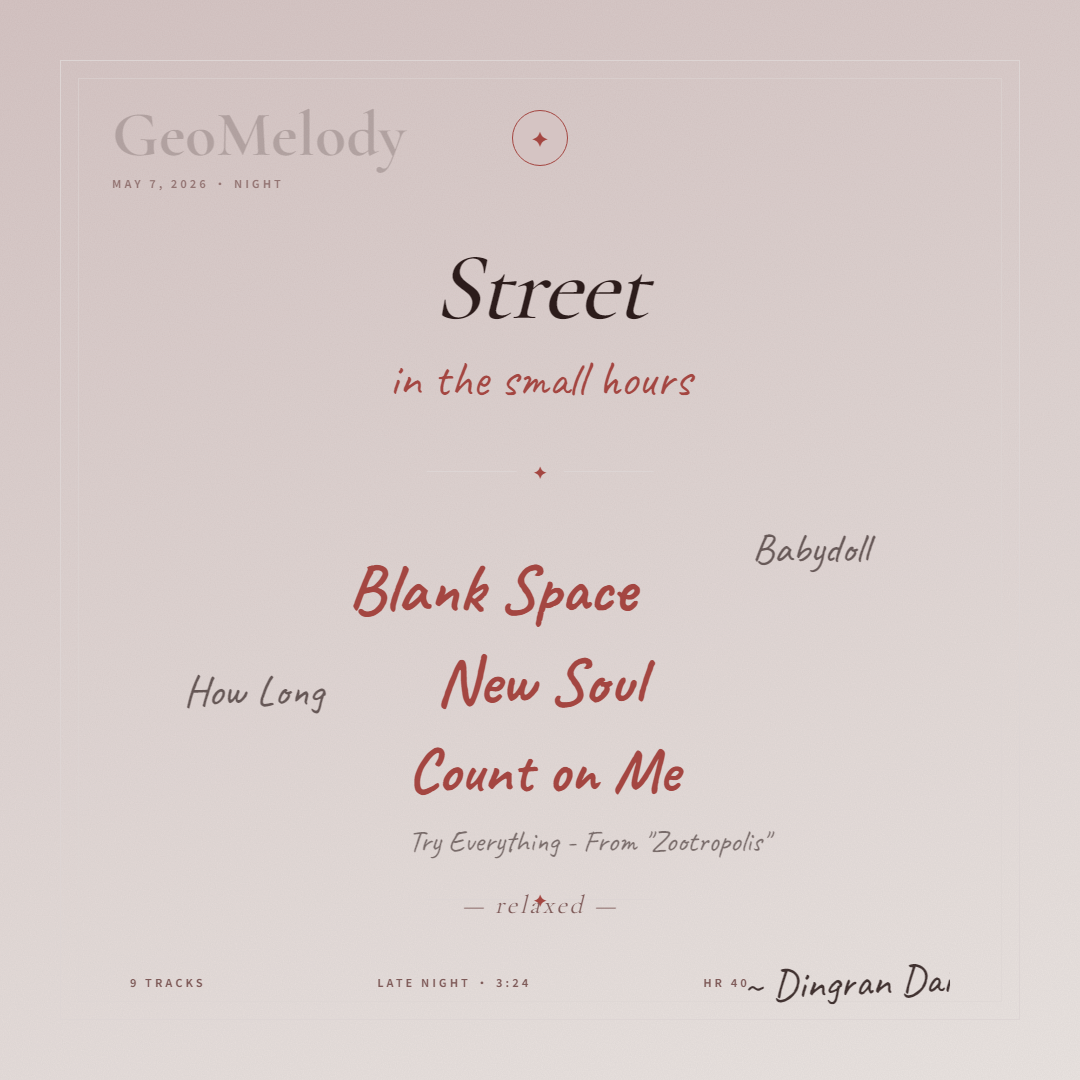
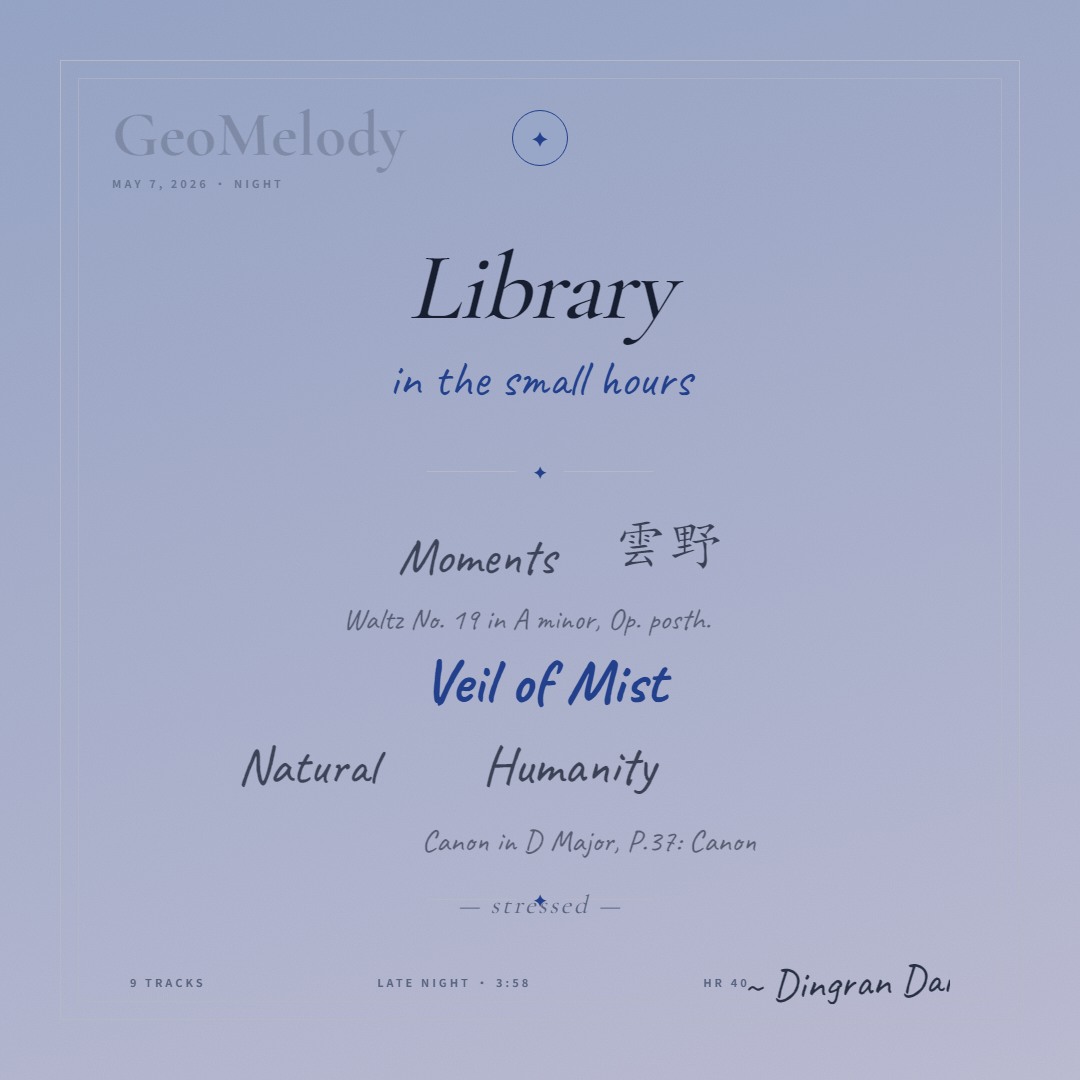
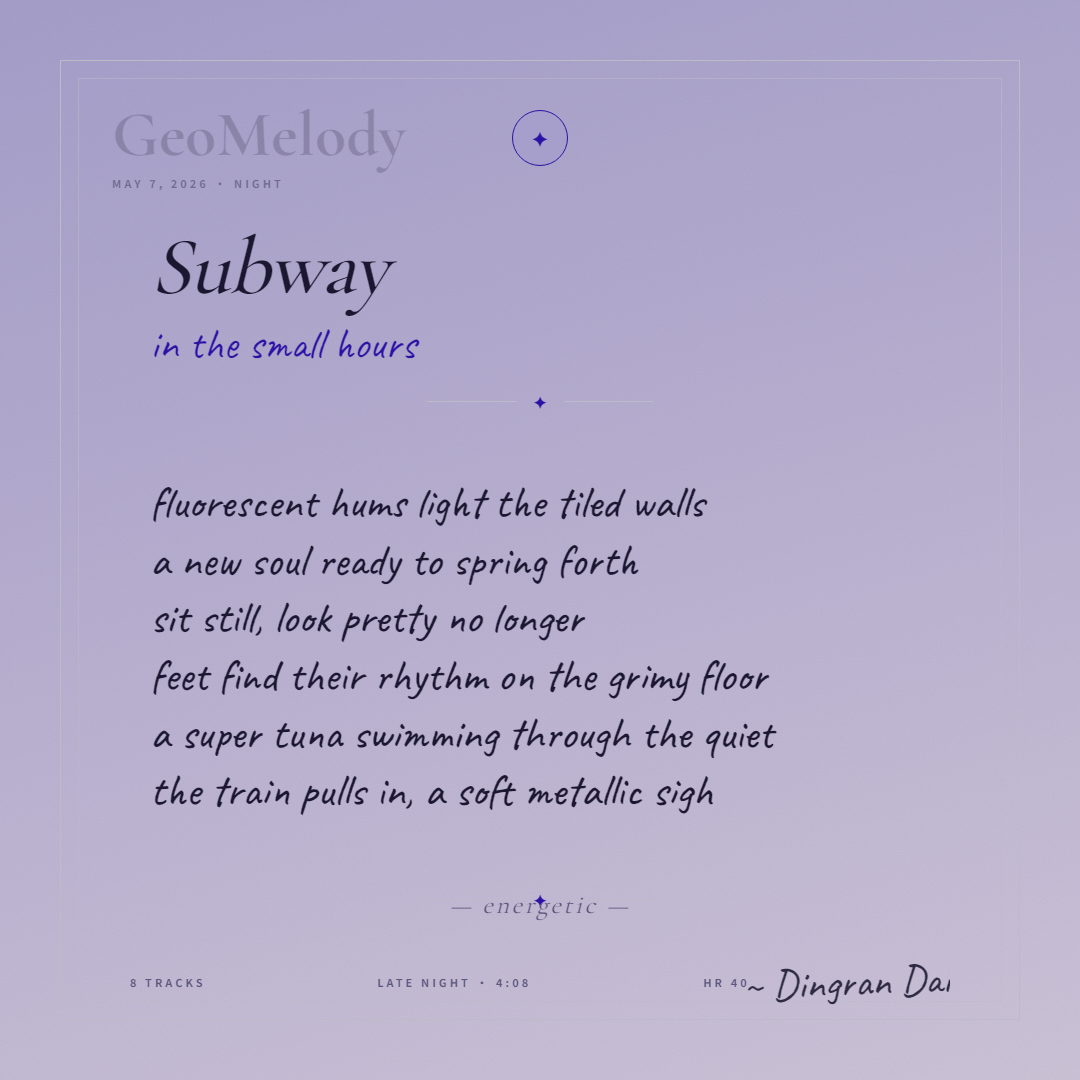
A second layer, Memory Cards, lets users keep a session — three or more curated tracks under a shared moment, rendered as a square card with a Gemini-written poem or word cloud — and save it to a personal gallery they can revisit.
A live build runs at /projects/geomelody — full three-step flow, real Spotify auth, real recommendations against your own library. When the wearable's FastAPI backend isn't reachable the app falls back to scene + mood only, so the demo stays meaningful even without the hardware in front of you.
One small ask first. Spotify keeps unverified developer apps in private allowlist mode, so I have to add testers to the dashboard manually before login will work. Email me your Spotify display name and the email tied to your Spotify account, and I'll add you within a day or two. After that, PKCE OAuth handles the rest — no app install, no shared credentials, the access token never leaves your browser.
Most recommenders push tracks at you from outside your taste — Discover Weekly, viral hits, algorithmic radio. GeoMelody does the opposite. It stays inside a playlist you already love and surfaces the four or five tracks that fit where you are right now.
The first version of the app asked you. Tap Café · Working · Focused, get five tracks. It worked, but it broke the premise. If you have to stop and tell the system how you feel, you've already left the moment.
So the second version reads it. A small wearable measures three things — heart rate, ambient noise, and motion — and pushes them to the app every five seconds. You set the scene and mood once; activity comes from the sensor automatically, and the recommendation updates as you move.
The central question is:
Can a context-aware system feel like an honest extension of the moment, instead of another thing you have to operate?
The user flow is three taps and one wearable.
- Connect Spotify via PKCE OAuth — no server secret, all in the browser.
- Pick a source — your Liked Songs or your Top Tracks of the last six months.
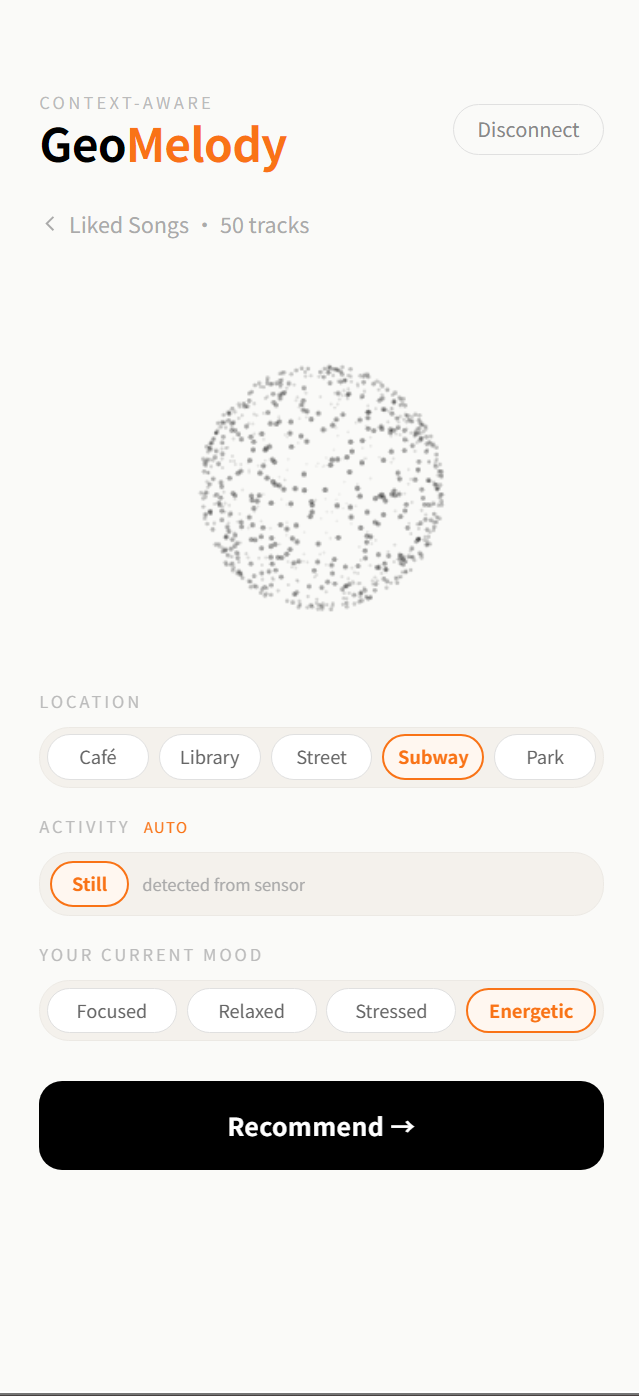
- Set context — pick a scene (Café · Library · Street · Subway · Park) and a mood (Focused · Relaxed · Stressed · Energetic). Activity is detected from the IMU.
- Get five tracks with a one-line reason for each. Tap to play; the Web Playback SDK streams them inline.
Behind the scenes the app samples 25 tracks from your library, computes a target audio profile from (scene, activity, mood, sensor), and asks Gemini to pick the five best matches and write a short reason for each. Tracks already shown get filtered out so consecutive refreshes give you new picks until the pool resets.
The pipeline is three stages: target profile → seed sampling → LLM matching.
Target profile
Each scene starts from a baseline audio profile — five normalized values for energy, danceability, acousticness, valence, and instrumentalness. Library leans low-energy, high-instrumentalness, high-acousticness; Subway flips most of that. The baseline is then pushed by the sensor and mood:
| Signal | Effect on profile |
|---|---|
| High ambient noise | Lower acousticness (delicate tracks get drowned out), higher energy (need cut-through) |
| Mood = Focused + high HR | More instrumentalness, less energy (vocals become noise when overloaded) |
| Mood = Stressed + high HR | Push valence up (compensate, don't amplify) |
| Activity = Walking | Lift danceability and energy (gait wants tempo) |
| Activity = Working | Lift instrumentalness (no lyrics competing with thoughts) |
The profile lives in LOCATION_BASELINES plus a stack of mood × heart_rate and activity modifiers, all clamped to [0, 1]. This part is plain TypeScript — deterministic, fast, debuggable.
Seed sampling
The full library can be hundreds of tracks. Sending all of them to the LLM is wasteful and noisy, so each request picks 25 random unseen tracks from the library. The shown-history set is tracked client-side, so consecutive refreshes don't keep showing the same hits. When the unseen pool drops below five, history resets and a new cycle starts.
LLM matching
The 25-track seed list, the target profile, and the raw sensor values all go into one prompt. Gemini returns exactly five {id, reason} pairs through structured output. The frontend filters out any IDs Gemini hallucinates (rare, but the validator catches them) and shows whatever survives.
The whole thing is built into a fixed iPhone frame — 390px wide, 844px tall, dark-on-cream — because the app is meant to feel like a finished phone product, not a web demo. Designing inside the frame from day one forced every decision through the same constraints a real iOS build would impose.
The three-step flow is one screen each. Source pick → context selectors → results. There's no settings page, no profile screen, no library browser — everything you need is the three steps, and you only really run them once. After that, the results screen with its sticky mini-player is where you live. The two card-related steps surface from the results header on demand, and don't compete for attention until the user asks for them.
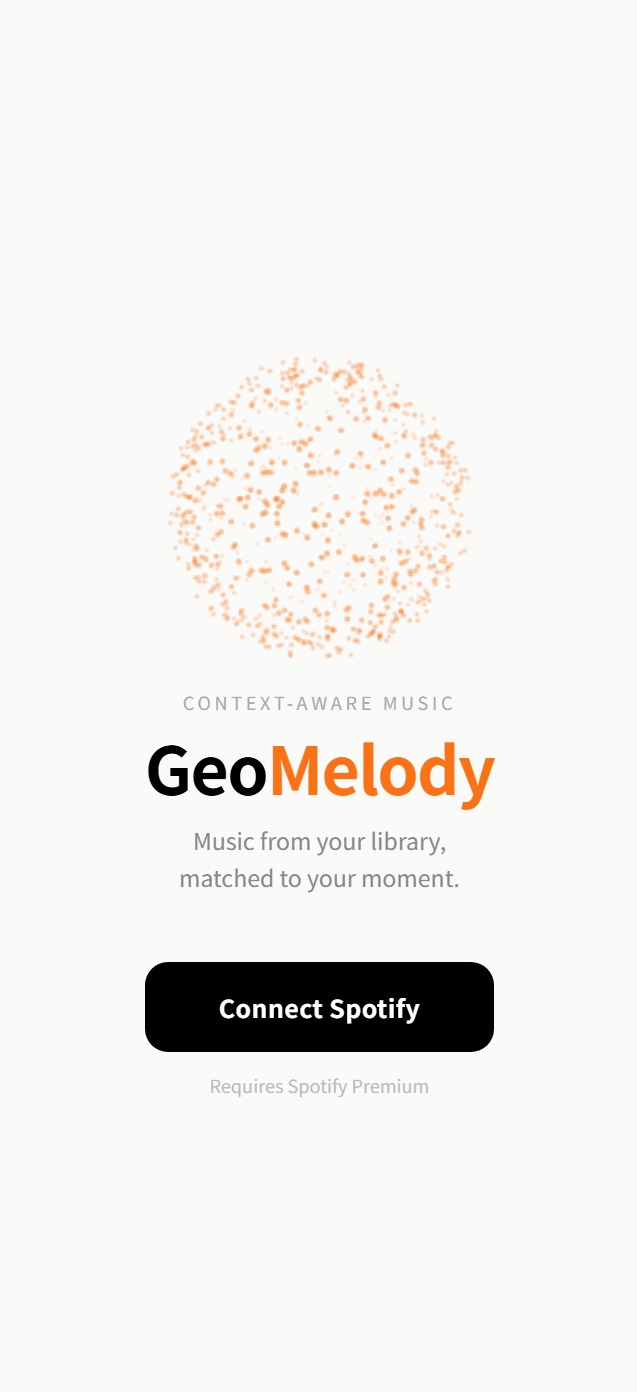
The DotOrb is the brand element. 800 particles distributed on a sphere, displaced by mic amplitude. It sits on the login and source-pick screens because those screens otherwise felt dead, and it gives the app a single recurring identity mark. The orb reads the mic but does nothing recommendation-side — it's purely there to show the app is alive and listening.
Context selection is three pill rows. Scene and mood are user-tappable; activity is a single read-only pill that shows what the IMU detected, with a small AUTO tag. The visual asymmetry between the editable rows and the auto-detected one tells the user, without copy, that activity is sensor-driven.
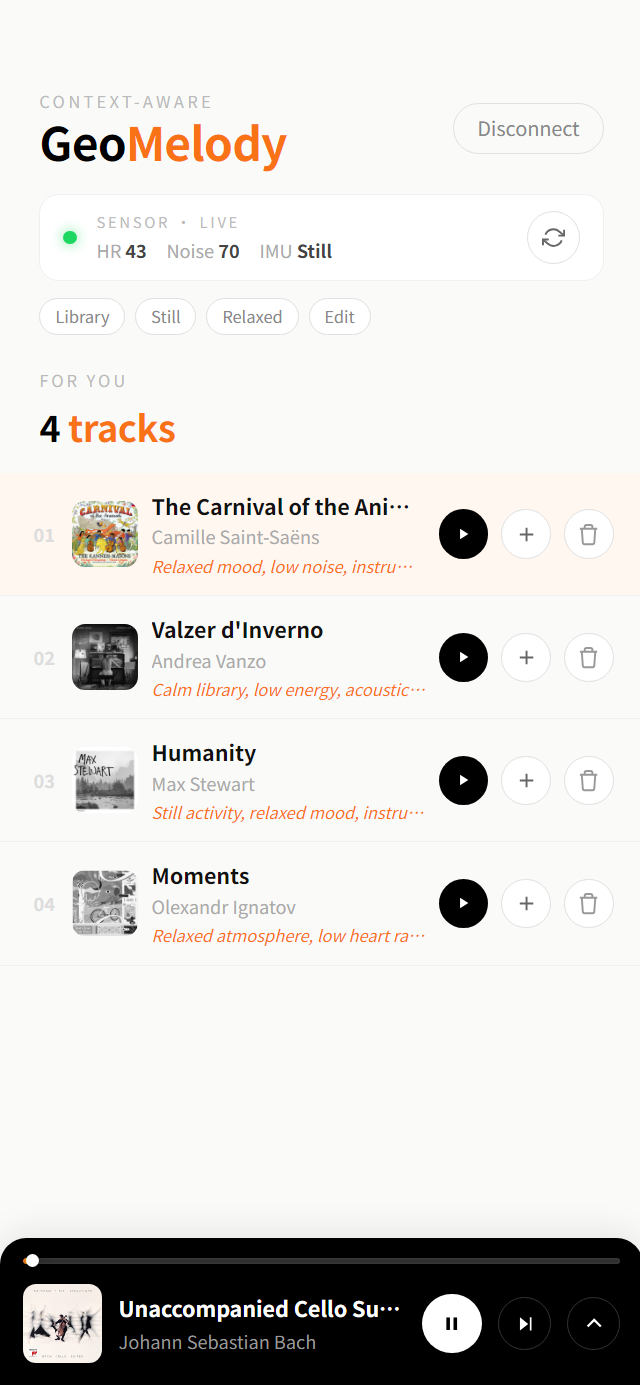
The sensor card is the always-visible truth source. It sits above the results list with a green pulse when data is fresh, gray when offline. Three numbers: HR, Noise, IMU label. A refresh button on the right manually re-reads the sensor and re-runs the recommender. When the backend is unreachable, the card honestly says "offline — using defaults" instead of pretending.
The results list weights the top pick. Position 1 sits in a pale orange tint; the rest are flat. Each row has the album art, track + artist, the LLM-written reason in italic orange (truncated to one line, expandable on tap), and three small action buttons: play now, queue, dismiss. Dismissing a track removes it from results without re-querying — cheaper than refresh for a single bad pick.
The mini player is sticky black. When something's playing, a 92px black bar with the album art, title, progress, and play/pause/next/expand controls anchors the bottom of the frame. Tapping expand slides up a full sheet — large album art, full transport controls, queue — like the iOS Music app, because that's the mental model users already have.
Tone-matching matters. Light cream backgrounds, orange accent (#f97316), Spotify-green status dots. The orange reason text is the one place where the LLM speaks; everything else is interface chrome. Keeping the model's voice visually distinct from system text was a small thing that paid off — users can tell at a glance which words came from the AI.
Gemini does one job: pick five tracks from a list of 25, and write a short reason each. Everything else — the target profile, the sampling, the deduplication — happens in code. Keeping the LLM responsible for as little as possible is the whole point of the architecture.
The prompt has three blocks: the sensor context (scene, activity, mood, raw HR + noise), the pre-computed target profile (five floats), and the seed list (25 {id, name, artist} triples in JSON). Then a short instruction block telling the model to return five distinct IDs from the list, each with a reason capped at 8 words.
The 8-word cap matters. Without it, Gemini writes earnest paragraphs ("This track's gentle acoustic texture and contemplative pacing complement the calm focus you're cultivating in the library environment..."). With it, the reasons compress into the kind of one-line annotations a thoughtful friend would whisper: "Loud subway; punchy bass holds focus." The cap is enforced in the prompt, not post-hoc, because trimming after the fact wastes tokens generating words you'll throw away.
Structured output is non-negotiable. The Gemini call sets responseSchema to enforce { recommendations: [{ id, reason }, ...] } with minItems: 5, maxItems: 5. No preamble, no markdown fences, no narration. The frontend can parse the response with one JSON.parse() and validate IDs against the seed list. Without structured output the same flow needs regex stripping, retry logic, and roughly 30% more failure modes.
Validation runs after the call. Gemini occasionally returns an ID that wasn't in the seed list (a track from its training data that shares the artist). The validator drops those silently and returns whatever's left, capped at 5. The user never sees a crash — at worst they see four tracks instead of five — and the console logs the hallucination so I can tune the prompt later.
The first working version of the recommender used gemini-2.5-flash with default settings, sent the entire library in the prompt, and returned full paragraph reasons. It cost real money per request and took 3–4 seconds to come back. The shipping version is roughly an order of magnitude cheaper and twice as fast, through six concrete decisions:
| Decision | Why it matters |
|---|---|
| Sample 25, not the whole library | Library size scales with the user; prompt size shouldn't. 25 is enough variety to find five good matches without wasting tokens on the long tail. |
thinkingBudget: 0 | Gemini 2.5 Flash supports extended thinking, which adds hundreds of "thought tokens" billed but not returned. For a constrained pick-from-list task there's nothing to think about — the model already knows the answer. Disabling thinking cuts latency by ~40%. |
| Structured output schema | The model returns exactly the JSON shape the frontend expects. No preamble ("Here are my picks:"), no markdown fences, no apologetic suffixes. Every output token is a token the user benefits from. |
| Pre-compute the target profile in code | Rules like "if heart rate is high and mood is focused, push instrumentalness up" are deterministic and don't need a model. Letting Gemini do this would burn input tokens explaining the rules and output tokens recomputing them. The model gets the result of the rules, not the rules themselves. |
| 8-word reason cap, enforced in prompt | A 200-word reason is 25× the tokens of an 8-word one and adds nothing the user reads. The cap is part of the prompt with examples (good vs. better vs. bad) so the model doesn't guess. |
| Cheaper model for non-critical paths | The rerank endpoint and the photo-vision endpoint use gemini-2.0-flash instead of 2.5. Recommendation quality depends on 2.5's better reasoning over the audio profile; rerank and image tagging don't need it. |
The result is a per-request cost low enough that I can refresh recommendations on every sensor update, not just on user demand.
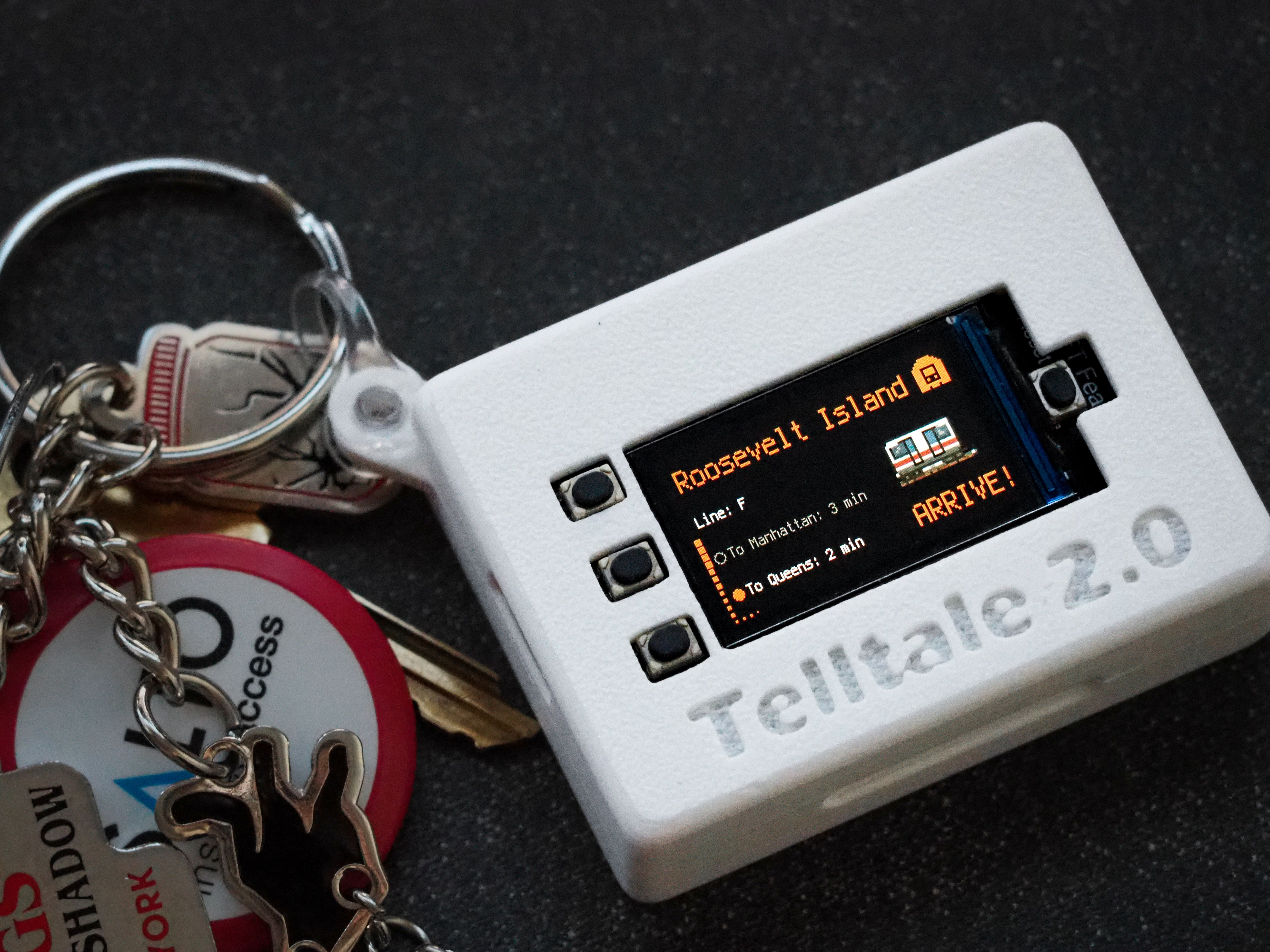
The hardware is intentionally small — CircuitPython on an Adafruit Feather, three sensors, a battery, and Wi-Fi.
| Sensor | Reads | Used for |
|---|---|---|
| MAX30102 | Heart rate (BPM) | Arousal signal — high HR means physiological intensity, not necessarily mood |
| Electret mic | Ambient noise (dB-relative) | Drives acousticness down and energy up — quiet tracks lose to environments |
| LSM6DS3 IMU | 6-axis motion | Classified into Still / Walking / Working — replaces the activity chip group |
Every five seconds the device POSTs a JSON blob to the FastAPI backend. The backend keeps it in a single in-memory dict and serves the latest snapshot to the frontend on demand. Nothing is persisted yet — for a one-device personal-scale demo, a database would only add deployment surface area without adding anything users can see.
The UX claim baked into the hardware is that the app should be something you glance at, not something you operate. Activity inferred from the IMU is one less tap, and it stays accurate when you start walking mid-track without you having to re-engage the UI.
The first three versions of the app only produced the music you heard. Nothing accumulated. Memory Cards exist because of a quieter question: what does revisiting a moment look like a week later?
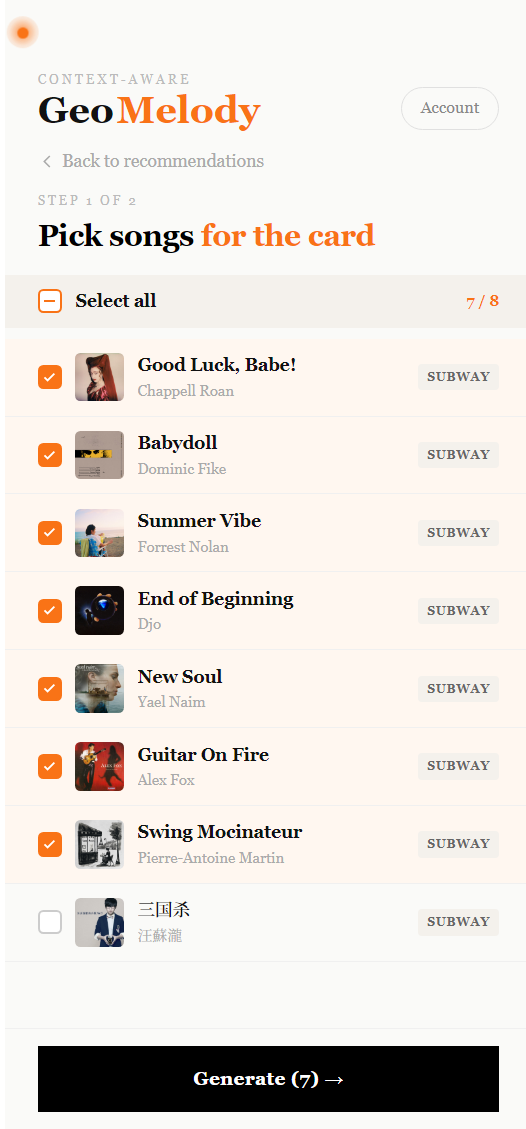
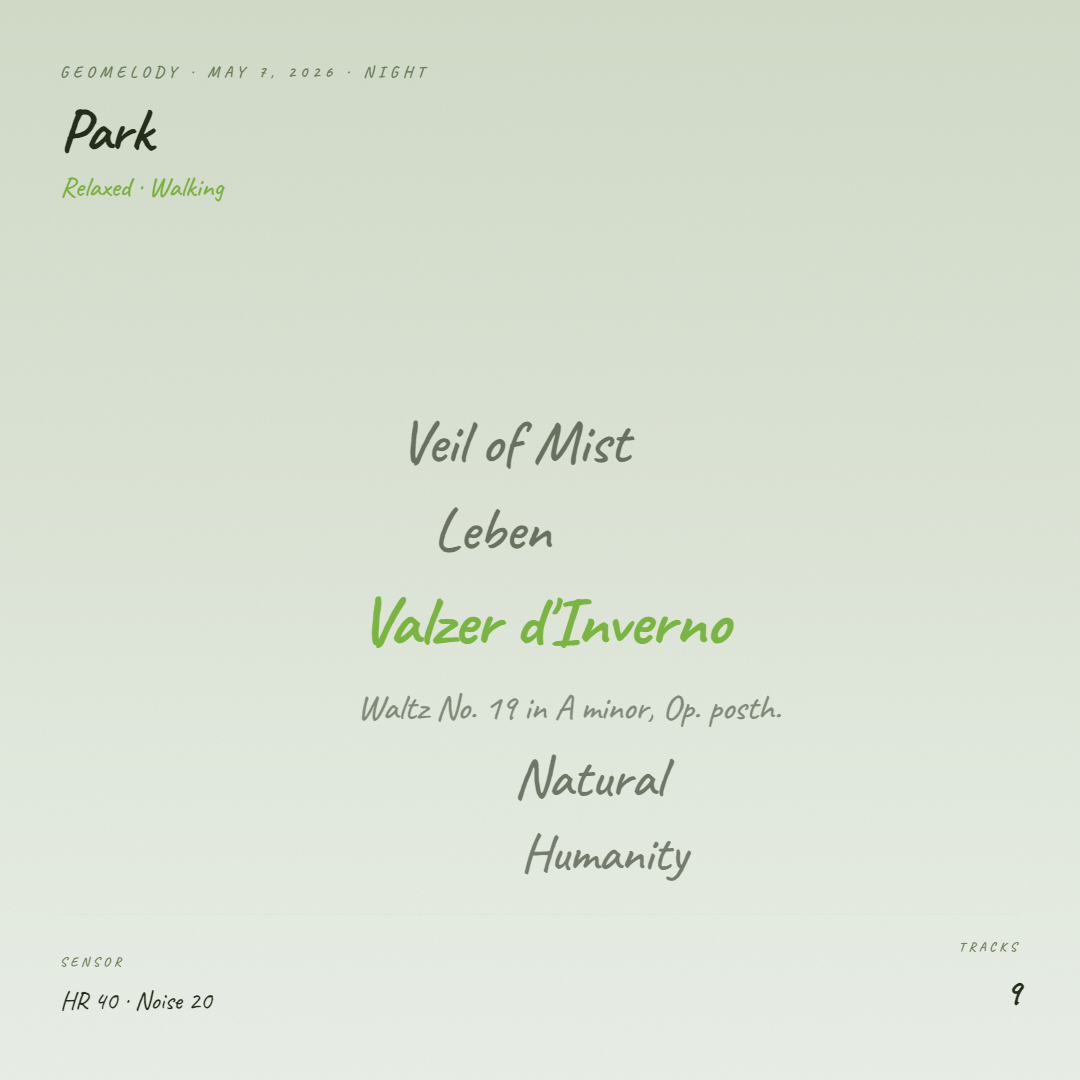
The mechanic is small. You curate a session by tapping + on tracks that fit. When you've kept three or more, a Share button surfaces in the header. You pick which of those tracks should make the final cut, and choose between two card formats — a Gemini-written poem, or a handwritten word cloud over the song titles. Both render as square 1080×1080 PNGs you can download or save to a personal Gallery keyed to your Spotify ID.
The poem variant
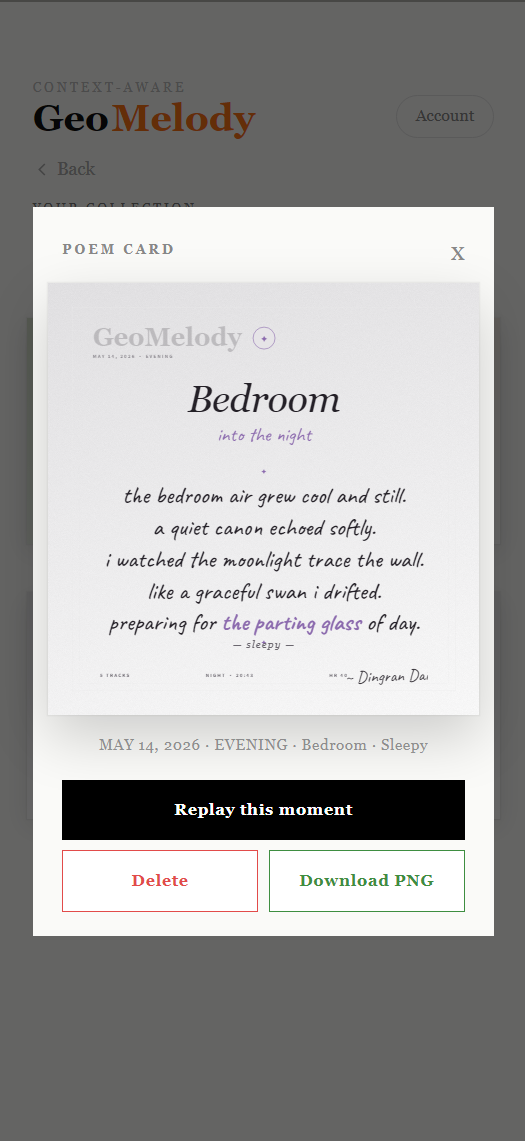
The model is instructed to treat the user's scene, mood, and bucketed sensor readings (elevated / steady / slow for HR; loud / soft / quiet for noise) as the physical scene of the poem, not as metadata. The result is imagery, not annotation. The prompt has unusual rules: the rhythm of the lines must follow the body. Elevated heart rate forces short lines and enjambment. Loud spaces produce fragments and broken syntax. Slow + quiet earns full sentences and longer breaths. A forbidden-word list strips out the language LLMs reach for when they don't know what else to say (vibe, perfect, journey, embrace, fits, soul, magic, beautiful).
Output is structured: { featured_titles: string[], lines: string[5..7] }. The featured_titles are the song names Gemini actually wove into the poem as imagery; the front-end validates them against the input list before they reach the card.
The visual language
Both cards share a single aesthetic — a thin double-bordered frame with deliberate breathing room, a small medallion stamp at the top, ornamented dividers (✦), the scene rendered large in italic Cormorant Garamond, a handwritten time-of-day phrase below it in Caveat ("in the morning" · "at golden hour" · "in the small hours"), the mood whispered as an em-dashed footnote, and a slightly tilted handwritten signature carrying the user's display name as a watermark.
The palette isn't hard-coded. Each scene starts from a base hue/saturation/lightness in HSL space (Café = warm sepia, Library = cool slate, Subway = electric indigo) and the mood pushes it — Stressed adds saturation and shifts hue warm; Relaxed desaturates and lightens; Energetic intensifies. Five scenes × four moods = twenty palettes derived from twelve numbers.
Each format ships in three layouts the user can swipe between — they differ in hero typography scale, body alignment, padding, and the poem's vertical rhythm. Layout 1 of the poem also highlights the song titles inside the verse in the palette's accent color, where the other two render the verse flat. The intent isn't to give the user three "good options"; it's to give the same condition three legitimate visual readings, so a gallery built up over weeks shows variety without ever stepping outside its own tonal range.
A second mixed-script detail lives in the font fallback chain. Caveat covers Latin handwriting but has no CJK glyphs, so a Chinese song title in a poem would otherwise fall to the system default and look out of register. Listing Long Cang next in the font-family lets the browser fall through per character — English titles render in Caveat, Chinese in Long Cang, automatically and without any string segmentation.
The Gallery
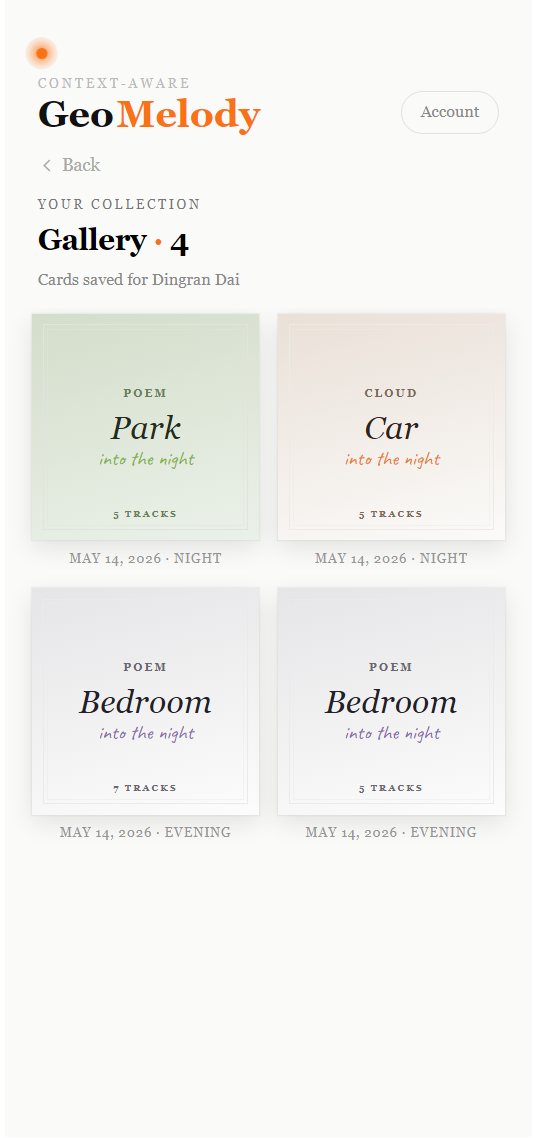
Saved cards live in localStorage keyed by Spotify user ID. What's persisted is the inputs — track set, condition snapshot, generated poem, scene, mood, the timestamp it was made — not the rendered image. A few KB per card, which means the browser quota holds well over a hundred cards before becoming a concern. The gallery shows lightweight thumbnails (scene title + handwritten time phrase + track count); opening one re-renders the full card on demand and exposes Download and Delete.
A subtler decision sits inside the condition snapshot: each curated track carries the sensor reading from the moment its + was tapped, normalized to 0..1, not the reading at card-generation time. A track tapped under HR 88 in a noisy subway keeps those values forever, even if you tap a later track sitting quietly in a library. Aggregation to a single scene/mood happens at card time, but the per-track context is frozen at curation. This makes the cards behave like journal entries instead of snapshots-of-now — the moment they describe is the moment you noticed it, not the moment you decided to keep it.
What this changed
The Cards layer started as a small social-sharing feature. It became something closer to a journaling layer. The five-tracks-for-this-moment recommendation is the loud part of the app; the gallery is the quiet part — a slowly accumulating shelf of moments, each one a poem or a cloud and the music that anchored it. Sharing-out (friends tapping through to play the same tracks on their own Spotify) is still pending. The cards earned their place because they stopped being shareable and started being kept.
- Hardware — CircuitPython on an Adafruit Feather, MAX30102 + electret mic + LSM6DS3
- Backend — FastAPI, in-memory cache, push-from-device + pull-from-frontend
- Frontend — Next.js 16 App Router, client-rendered, Spotify Web API + Web Playback SDK
- Recommender — Gemini 2.5 Flash with structured output (
responseSchema,thinkingBudget: 0) - Auth — Spotify PKCE — no server secret, all in browser
- Animation — Canvas-based DotOrb, 800 particles, mic-reactive
- Card export —
html-to-imagefor client-side PNG generation; Cormorant Garamond for serif headlines, Caveat + Long Cang for handwritten text so Latin and CJK glyphs share one visual register - Gallery storage — per-user
localStorage, keyed by Spotify ID; persists card inputs (~KB per card), not rendered images
The project went through five architectures before reaching the current one.
v1: Audio-feature vectors. The obvious plan — target vectors over Spotify's audio-features endpoint (energy, valence, acousticness, instrumentalness), Euclidean distance against each candidate, top-5 wins. Worked locally for two weeks. Then Spotify deprecated audio-features for new applications in November 2024, and the whole approach died.
v2: Genre-keyword scoring. Each scene mapped to a curated vocabulary (Library → ambient · classical · instrumental · post-rock · minimal · drone · lo-fi), tracks scored by overlap with the artist genres Spotify still exposes. Coarse, but it shipped. The real problem isn't sparseness — it's that artist genres are one-tag-fits-all. A jazz artist has the same genre tag whether the track is a 2 AM ballad or a daytime bossa nova.
v3: LLM picks from a target profile. The current version computes a target audio profile in code (still using LOCATION_BASELINES and the same mood × heart_rate modifiers from v1's rule engine), then hands the seed list and the profile to Gemini and lets the model do the matching. This recovers most of what audio features gave us — Gemini knows what a song sounds like even when Spotify won't tell us — without v2's brittle keyword overlap.
The original feature-vector code (ruleEngine.ts, euclidean.ts) is still in the repo, unwired, as a record of the pivot.
v4: Sensor input replaces self-report. The first three versions all asked the user for activity. Self-report doesn't work for context — people are bad at rating their own arousal, and asking every few minutes is worse. The wearable replaces the activity chip group, and a 30-bpm jump in heart rate while walking through a subway becomes a more honest high-intensity moment signal than a four-button tap ever was.
v5: Memory Cards & Gallery. Originally planned as a "pin this moment" social-sharing feature. Became something closer to journaling. Each + button press snapshots the current condition with the track; when three or more accumulate, Gemini writes a poem (or the system lays out a word cloud) over the aggregate condition, rendered as a 1080×1080 PNG with a bookmark-feeling visual frame and saved to a per-user localStorage gallery. The original promise to let friends tap through and play the same tracks is still pending — once social came face-to-face with personal, personal won.
- The sensor card shows live as long as the backend has any cached data. There's no
last_seenheartbeat yet — a device that died ten minutes ago still looks online. - No feedback loop. Skipping or completing a track doesn't influence the next batch.
- Spotify Premium is required for in-app playback (Web Playback SDK constraint).
- The vision endpoint exists but isn't wired into the main flow yet.
- Tested against personal libraries of ~50–500 tracks. Larger libraries will need smarter sampling than uniform random over the unseen pool.
- Memory Cards live in browser
localStorage. Clear browser storage or switch devices and the gallery is gone — there's no cloud sync and no export-the-whole-gallery escape hatch yet.
Three directions, roughly in order of distance.
Photo as scene input
The vision endpoint already exists at /api/geomelody/vision — Gemini 2.0 Flash takes an image and returns {scene, activity, mood, vibe[], confidence}. The plan is to let users drop a photo of where they are (or the camera handles it automatically once a minute) and let the model override the scene picker. A golden-hour café shot reads differently from a fluorescent late-night one, and that distinction maps onto music in ways the five-scene picker can't capture.
The trick is fusing image confidence with sensor confidence. If the photo says Park with 0.4 confidence and the IMU says you're walking, the photo wins and the recommender gets Park · Walking. If the photo says Café with 0.8 confidence and the IMU says you're still, both agree and the system commits harder to the prediction.
Sharing the moment
Memory Cards landed but their social half didn't. A card currently lives between the user and their gallery — downloadable, but with no native share sheet, no IG Story handoff, no way for a friend to tap through and play the five tracks on their own Spotify.
The interesting question isn't the share button. It's the comparison signal: did your library produce a comparable five for the same moment? That requires the receiving end to be able to read the card's scene/mood/condition, run the same recommender against the receiver's library, and surface what overlapped and what didn't. The card stops being a static export and becomes an interactive comparison object — which is the only kind of social music feature that doesn't reduce to a like or a play count.
A real smartwatch build
The current wearable is a microcontroller on a breadboard taped to a wrist strap. It works as a demo, but a watch is the form factor the interaction was designed for. Two paths forward.
The conservative path is a watchOS / Wear OS app that reads the same three signals (HR from the watch, noise from the paired phone, motion from the watch's IMU) and POSTs to the same FastAPI relay. No new hardware, just new firmware. The catch is that watchOS doesn't expose continuous mic data without active app focus, which compromises the noise signal.
The ambitious path is a custom watch — same sensor stack as the current breadboard, but in a wearable enclosure with a small e-ink display showing the currently-playing track and the inferred context. The device becomes both the input and a glanceable secondary output, freeing the phone to stay in your pocket. This is where the project is actually trying to go; everything before it is infrastructure.
The hardest decisions in this project weren't technical — they were about how much to ask the user and how much to read from the world.
The first version asked too much. Three chip groups every time you wanted music broke the premise of context-aware. The current version still asks for two (scene and mood) because asking for zero turned out to require either much better photo input or a heart-rate-plus-noise model that can disambiguate scenes by sensor alone, neither of which was within reach. Two taps is the honest middle.
The second hardest decision was about how much to ask the LLM. It's tempting to let Gemini compute the target profile, do the sampling, and write the reasons. It would even work most of the time. But the rule engine is faster, debuggable, and free, and the LLM is most useful when it has a single well-scoped job — pick five from these 25 — that can't be expressed as deterministic code. Restricting the model's role made the whole system cheaper, faster, and easier to reason about.
The Memory Cards layer landed differently. Here the LLM's job is creative (write a poem over a moment) instead of selective, and the constraints had to be different — body-rhythm rules tied to sensor readings, a forbidden-word list to strip out the words language models reach for in absence of substance. The interesting finding was that a constrained creative task and a constrained selection task want similar architectural treatment: give the model one well-scoped job, surround it with deterministic code that pre-conditions the input and validates the output, and resist the temptation to let it do more.
The bigger insight is that context-aware doesn't mean continuous-AI. The best parts of the system are the ones that don't call a model: the rule engine, the seed sampler, the history filter, the validator, the palette derivation, the localStorage gallery. The model is one well-paid expert in the middle, not a system-wide oracle. That's the architecture I want to bring to the next thing.