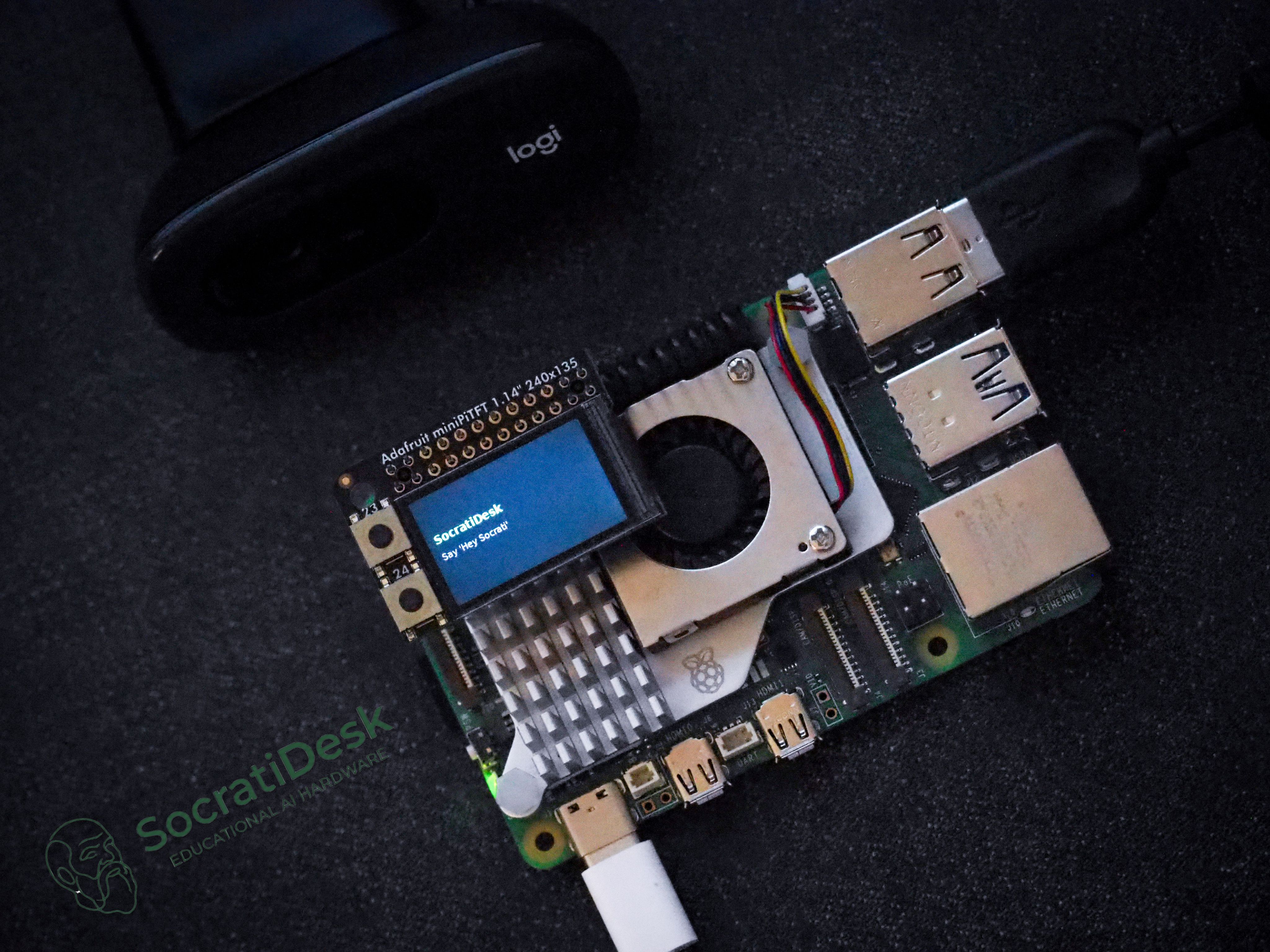
SocratiDesk is a dedicated, voice-first AI study companion that sits on a student's desk and uses the Socratic method to guide learning through questions, hints, and reasoning—rather than providing direct answers.
Built with a Raspberry Pi 5, Gemini 2.5 Flash Live API, and a textbook-aware RAG pipeline, the device deliberately removes screens, keyboards, and browser distractions, leaving only a microphone, a speaker, and a small TFT display. The project was built for the Gemini Live Agent Challenge (Live Agents track).
Students increasingly use AI as an answer machine: paste a question, receive a response, move on. This pattern creates shallow learning, erodes reasoning skills, and bypasses textbook engagement entirely.
Meanwhile, most AI study tools live on laptops and phones, embedded in environments saturated with notifications and distractions. SocratiDesk addresses both problems simultaneously:
Can a dedicated physical device, combined with Socratic pedagogy, shift AI from an answer machine into a genuine thinking partner?
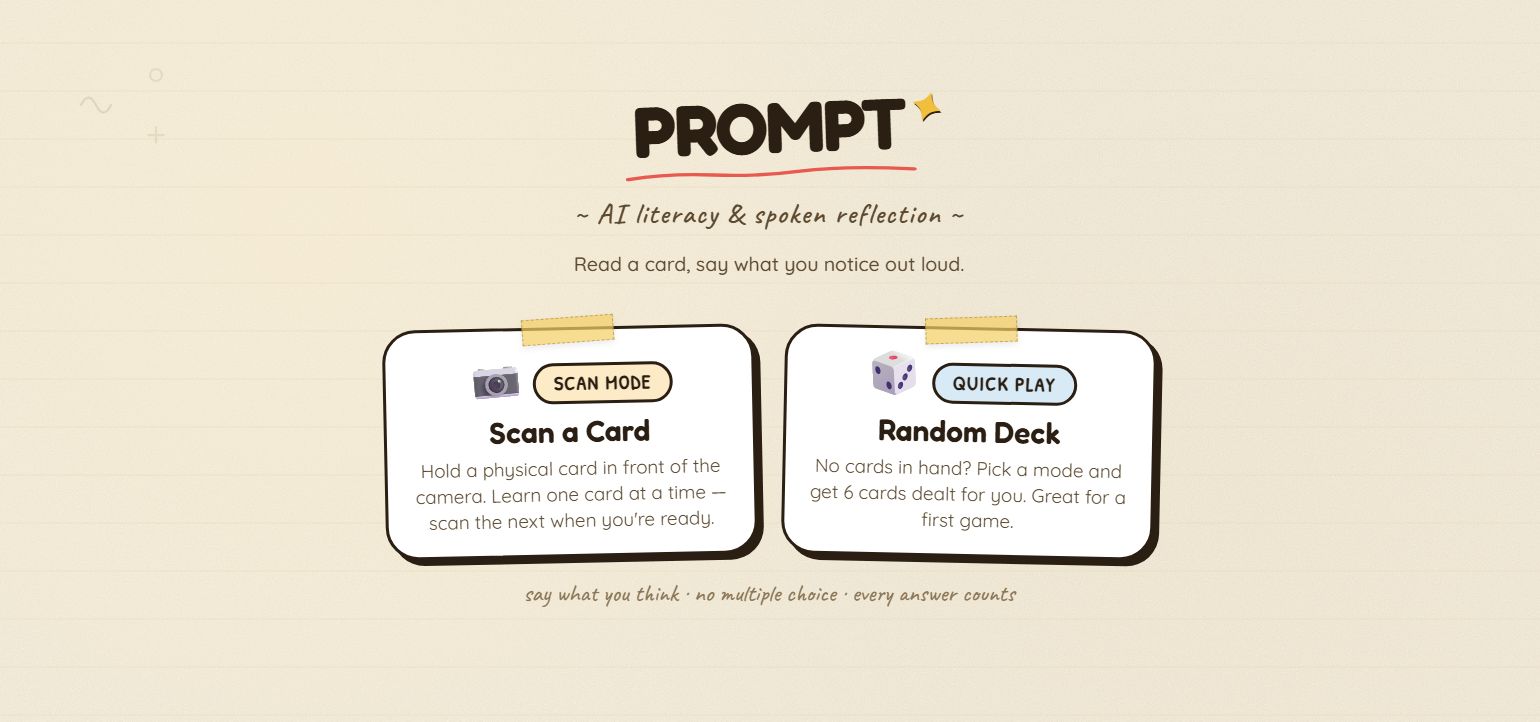
SocratiDesk supports two distinct learning modes, each structured as a multi-stage Socratic dialogue:
Curiosity Mode (3 Stages)
For free exploration without a textbook:
| Stage | Tutor Behavior |
|---|---|
| Prior Knowledge | Asks what the student already knows—never gives the answer |
| Guided Question | Provides brief feedback, asks one guiding follow-up |
| Conclusion | Delivers clear, concise explanation after the student has reasoned through it |
Textbook Mode (3 Stages)
For guided study from an uploaded PDF:
| Stage | Tutor Behavior |
|---|---|
| Page Direction | RAG retrieves relevant pages; tutor directs to specific page and section without revealing the answer |
| Feedback + Question | Evaluates what the student read, explains the concept, asks one comprehension question |
| Final Summary | Provides praise, summarizes citing the textbook page, invites next topic |
The transition between modes is voice-driven: students say "Hey SocratiDesk" to wake the device, then choose their mode through natural conversation.
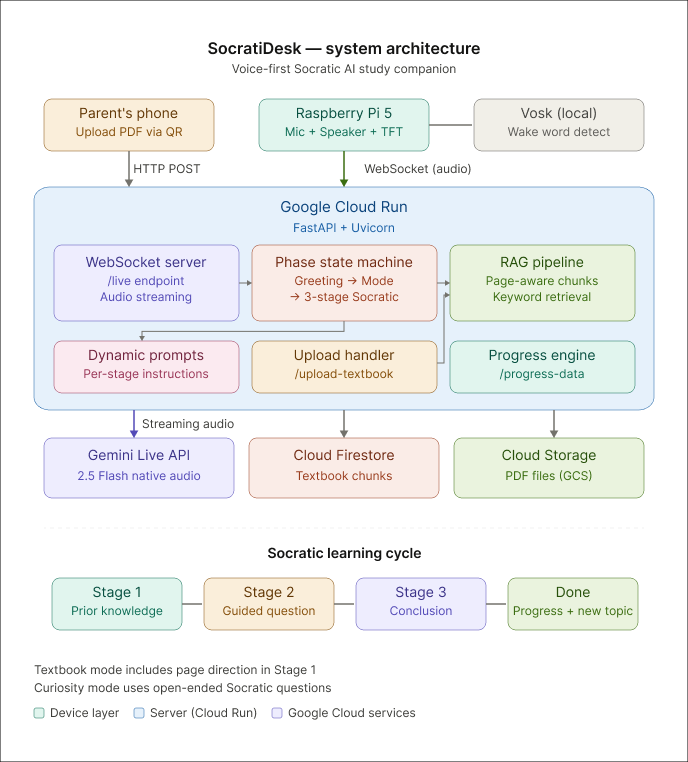
The system spans three components connected via WebSocket:
Raspberry Pi 5 (Client) — Captures audio through a USB microphone, plays responses through a speaker, and displays state information on a 1.14" Adafruit MiniPiTFT screen. A dual-threshold silence detection system handles turn-taking without manual push-to-talk.
Google Cloud Run (Backend) — A FastAPI server manages the phase-based state machine, processes textbook uploads, runs the RAG pipeline, and maintains real-time WebSocket connections to both the Pi and Gemini Live API.
Textbook RAG Pipeline — When a student scans a QR code on the Pi screen and uploads a PDF from their phone, the server extracts text per page using pdfplumber, splits it into page-tagged chunks, stores them in Firestore, and performs keyword retrieval to inject relevant context into Gemini's system instructions.
The device is intentionally constrained. There is no keyboard, no browser, no screen large enough to wander. The 5.6cm form factor forces every interaction through voice, making the Socratic dialogue the only available mode of engagement.
The Pi's TFT display serves three purposes: showing the current conversation phase and stage during a session, displaying a QR code for textbook upload or progress viewing, and indicating the idle wake-word prompt.
| Component | Technology |
|---|---|
| AI Model | Gemini 2.5 Flash Native Audio (Live API) |
| Backend | FastAPI + Uvicorn on Google Cloud Run |
| Storage | Google Cloud Storage (PDFs) + Cloud Firestore (chunks) |
| Device | Raspberry Pi 5 with USB mic, speaker, MiniPiTFT 1.14" |
| Audio Processing | sounddevice (PCM 16kHz in, 24kHz out) with software gain |
| RAG | Page-aware keyword chunking + top-3 retrieval |
| Deployment | Automated via deploy.sh (Cloud Run + GCS + Firestore) |
Key technical decisions include using raw RMS (before gain boost) for silence detection to prevent the gain from masking silence, and implementing a phase-based state machine that enforces the Socratic dialogue structure at the system level rather than relying solely on prompt engineering.
After completing a topic, students scan a QR code to view a progress dashboard on their phone, featuring three tabs:
- Summary — AI-generated encouraging feedback specific to the session
- Knowledge — Concept cards for each completed topic with textbook page references
- History — Full conversation timeline with phase and stage labels
The project resulted in:
- A fully functional voice-first study device running on Raspberry Pi hardware
- A cloud-deployed backend with real-time audio streaming and Socratic state management
- A textbook-aware RAG system that grounds AI responses in specific page references
- A QR-based mobile upload flow and learning progress dashboard
- End-to-end demonstration of both learning modes with 3-stage Socratic dialogues
The hardest design decisions in this project were not technical—they were about restraint. Deciding how much information to withhold at each stage, and trusting that the Socratic structure would lead to deeper understanding, required resisting the instinct to be maximally helpful.
The physical form factor was equally productive as a constraint. Designing for a device with no keyboard and a 1.14" screen forced every interaction to justify its presence. The result is a system where the pedagogy, not the interface, drives the experience.
Future directions include adding haptic feedback for the arrival of new responses, supporting multiple textbooks with cross-referencing, and exploring group study modes where multiple Pi devices share a collaborative Socratic session.